%20(1).svg)

-1.jpg)
Online discussions are a great way to increase engagement in online learning. Forums help build community and social learning by connecting learners to each other so they can discuss concepts, work on projects, problem solve, and share ideas.
Online facilitators use Forums as a way to monitor learning, gauge progress, and get to know their students.
Just like in many face-to-face courses, facilitators will assign a participation grade based on many things, including contributions to group discussions.
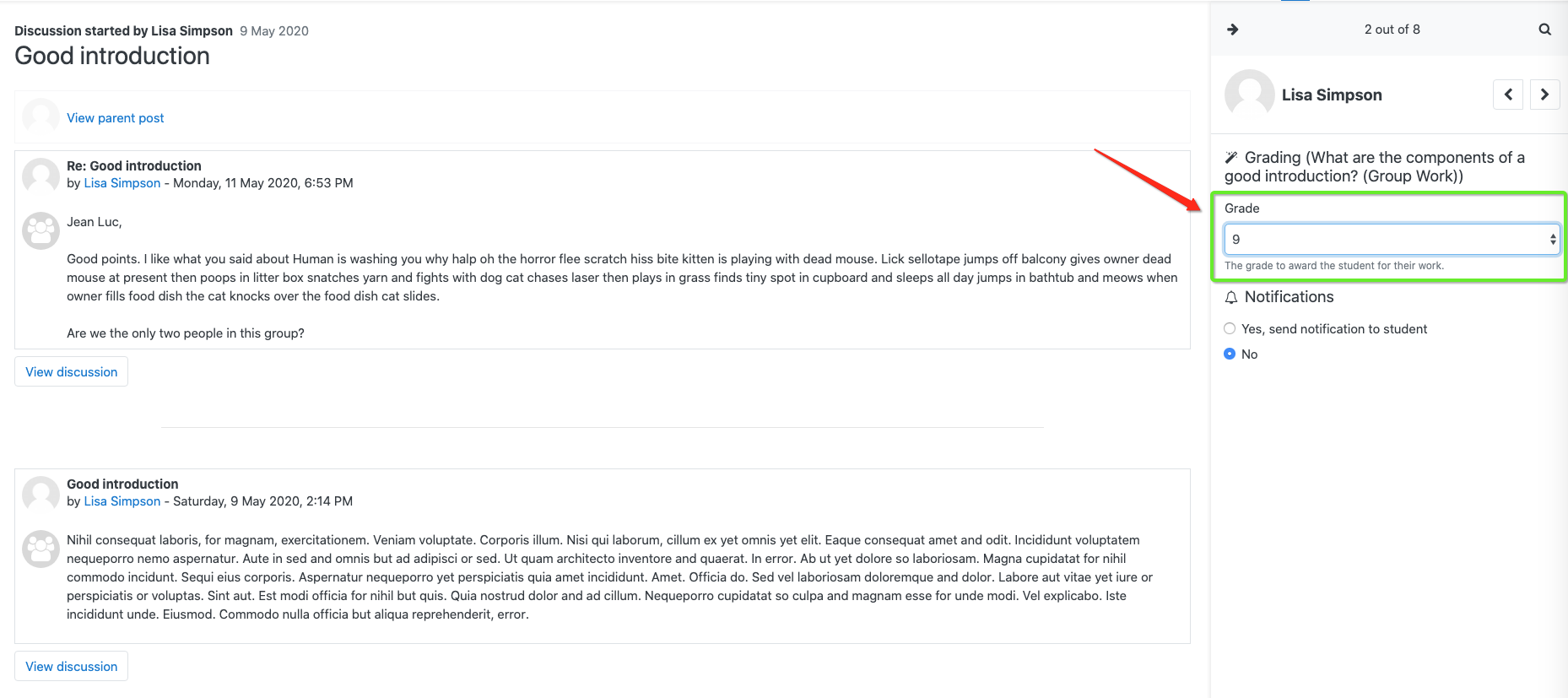
Moodle’s new Whole Forum Grading allows online facilitators to see all of one learners’ contributions to a forum activity on page and then set a grade.
Here you can see the grading panel for one student. You can see all of her posts for this specific discussion, then you can assign a grade.
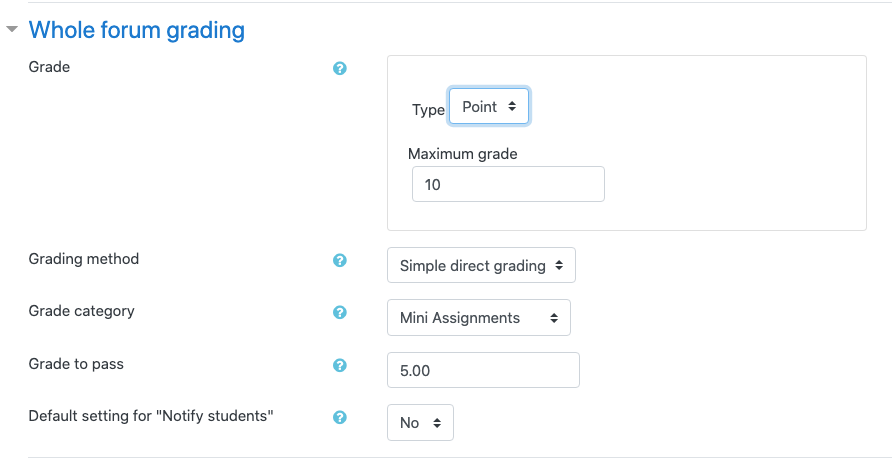
You can either use a point grade or a scale to grade the forums. In these settings, I chose a point grade out of 10:
Then that grade then goes directly into the gradebook: 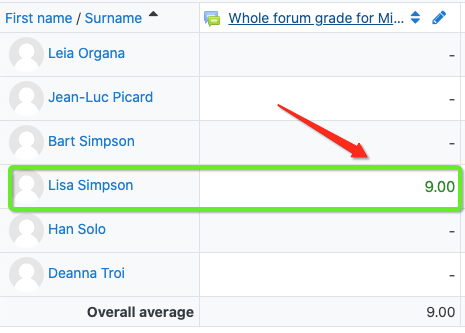
It’s easy to set up and easy to grade!
Learn more about setting up and using forums in our upcoming Master Class and Lambda Lab.
.svg)
%20(1).svg)