%20(1).svg)

At any given moment, there are ‘events’ happening on your LMS. In this case, an ‘event’ is an action such as user created, user enrolled in course, assignment submitted, etc. Other users in the system may want to know about such events so that they can either track the events or respond to them.
Let’s say, for example, that you have a new training initiative where employees are encouraged to self-enrol in a course. Management wants to see who is enrolling and when so that they can track the success of their initiative. Likewise, Trainers will want to know when new learners have enrolled so that they can introduce themselves to the new learners and ensure they have a successful learning experience.
This can now happen with our latest release of the Zoola Event Scheduler where we’ve added the ability to send the report to the teacher (or trainer) and the employee’s manager (in TotaraLearn).
Instructions:
- To find the Zoola Event Scheduler, go to Site administration>Plugins>Blocks>Zoola Reports>Event Scheduler Settings.
- Click New Event Schedule
- Select the event from the dropdown menu
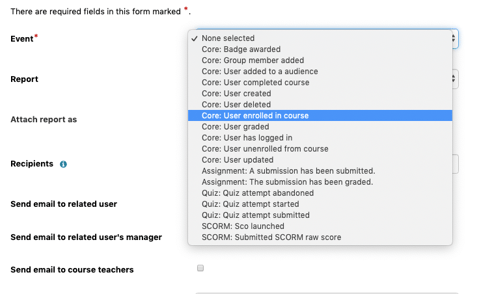
- Select the course that matches the event you are tracking (if it is course related)
- Select the report you would like to send in relation to the event. Here I’ve created a New Enrolments Report to match my user story
- Fill in the Recipient field and then if you want to send that report to the related user, the user’s manager (TotaraLearn only) and/or the course teacher.
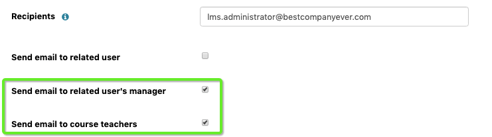
Two other common requests are to have manager/teacher notification for when a user completes a course or teacher notification when a learner submits an assignment for grading.
Try it out!
.svg)
%20(1).svg)